
Why Most HubSpot Implementations Need a Rebuild After 18 Months
There’s a phase every HubSpot customer eventually hits, and almost nobody talks about it openly. Month one feels great. Your HubSpot implementation is fresh, the workflows are clean, the team is excited, and everything seems to just work. Fast forward 18 months and something’s off. Workflows are firing on outdated logic. Properties nobody remembers creating are cluttering every contact record. Reports don’t match what sales actually believes is happening. And someone on the team has quietly gone back to a spreadsheet because they don’t trust the system anymore.
If that sounds familiar, you’re not doing anything wrong. You’re just running into a pattern that shows up in the overwhelming majority of HubSpot environments at roughly the same point in their lifecycle.
This isn’t a HubSpot problem. It’s what happens when a system built for the business you were 18 months ago keeps running while the business itself keeps changing.
Let’s talk about why this happens, what it actually looks like inside a real portal, and what fixing it looks like without starting over from zero.
Why 18 Months Is the Tipping Point for Your HubSpot Implementation
There’s nothing magic about the number 18. But across hundreds of HubSpot implementations, it’s the point where, it’s the point where enough small changes have piled up that the system starts visibly buckling under its own weight.
Here’s the timeline that plays out over and over.
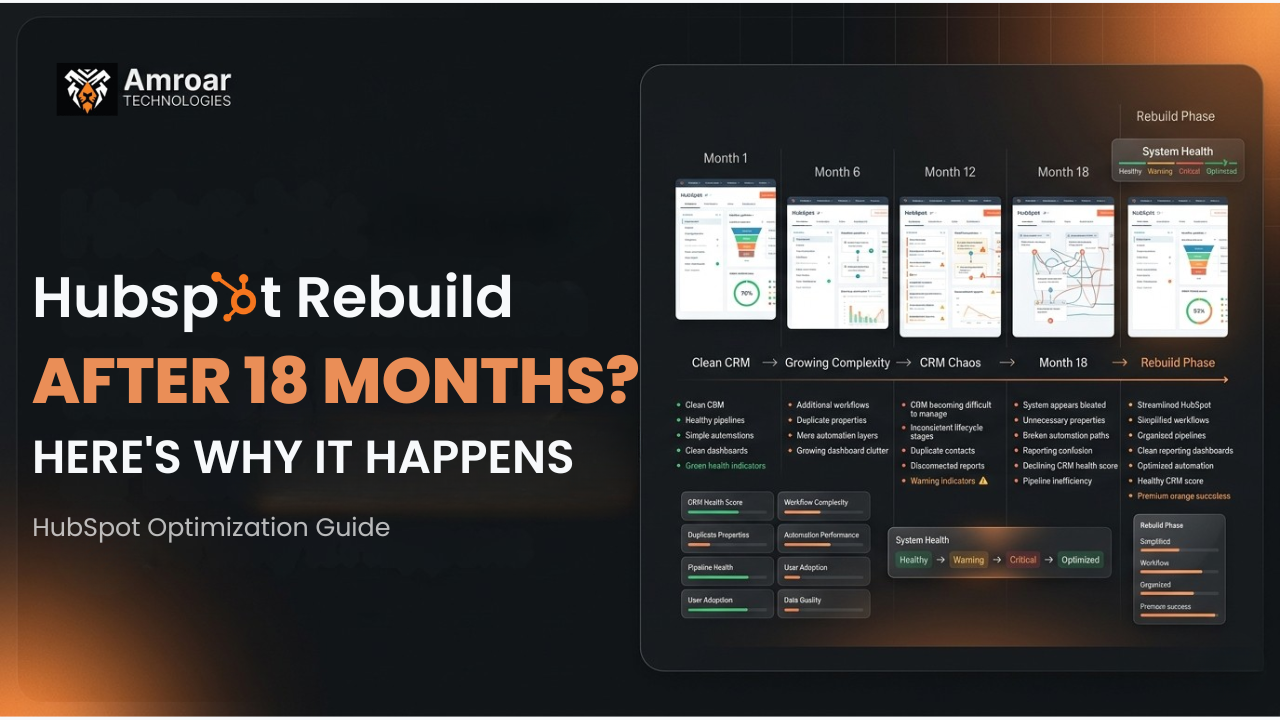
Months 1–6: The initial HubSpot implementation is fresh and tightly scoped. The team that built it understood the business at that moment, and the configuration reflects that understanding accurately. Adoption is high because everything matches how people actually work.
Months 6–12: The business starts evolving in ways the original setup didn’t anticipate. A new product line launches. Sales territories shift. Someone adds a property “just for this one campaign.” A workflow gets duplicated because nobody remembered the original one existed. None of these changes feel significant in isolation.
Months 12–18: The accumulated small changes start interacting with each other in unpredictable ways. Workflows built on outdated lifecycle stage definitions stop matching reality. Lead scoring criteria reflect a buyer persona that’s no longer accurate. Reports pull from properties that have been repurposed for something else entirely. The system technically still runs — it just doesn’t reflect how the business actually operates anymore.
By month 18, you’re not dealing with a few small issues. You’re dealing with an accumulated mismatch between what HubSpot thinks your business looks like and what your business actually looks like. And mismatches like that don’t fix themselves with a quick patch.
What a HubSpot Implementation Rebuild Actually Means
This phrase gets thrown around loosely, so let’s be precise about it.
A rebuild doesn’t necessarily mean deleting everything and starting from a blank portal. In most cases, that would be wasteful and unnecessary. What it actually means is a structured re-architecture of the parts of your HubSpot CRM that have drifted furthest from how your business currently operates — while keeping the historical data, the integrations that still work, and the parts of the configuration that are still serving you well.
Think of it less like demolishing a house and more like a major renovation. The foundation might be fine. But the wiring that worked for a smaller house doesn’t support what you’ve added on since, and pretending otherwise just means living with flickering lights indefinitely.
The work typically falls into four categories:
Property and data model cleanup — Consolidating duplicate or abandoned properties, fixing data types that no longer match how the field is actually used, and removing the clutter that’s accumulated on every contact and deal record.
Workflow and automation realignment — Auditing every active workflow against current business logic, fixing automations built on outdated lifecycle stages or deal stages, and removing the duplicated or conflicting workflows that built up over time.
Pipeline and reporting reconstruction — Rebuilding deal stages to match how sales actually sells today, and reconstructing dashboards and reports so leadership is looking at numbers that reflect reality.
Permissions and team structure updates — Updating user roles, teams, and permission sets to reflect who’s actually on the team now, not who was there at initial launch.
The Five Signs Your HubSpot Portal Needs This Kind of Work
1. Workflows Are Firing on Logic That No Longer Matches Your Business
If your lead routing still references territories you’ve since restructured, or your lifecycle stage automation reflects a sales process you no longer follow, the automation is actively working against you — confidently producing wrong outcomes rather than just sitting idle.
2. Your Property Panel Has Become Unmanageable
When reps scroll through 80 properties to find the three that actually matter for their daily work, that’s not a minor annoyance. It’s a sign the data model has grown without governance, and it’s actively slowing down how fast your team can work inside the system.
3. Reports and Reality Don’t Match
If sales leadership is making forecasting decisions off numbers that don’t match what reps believe is actually in the pipeline, that’s not a reporting glitch. It usually means the underlying deal stage definitions or properties feeding those reports have drifted from how deals actually move through your process now.
4. Nobody Fully Understands What’s Connected to What
If making a single change requires someone to say “wait, let’s check what this might break first” — and nobody can answer that confidently — your portal has accumulated enough undocumented complexity that changes have become genuinely risky.
5. The Team Has Quietly Started Working Around HubSpot
This is the clearest signal of all. When reps maintain a personal spreadsheet “just to be safe,” or marketing exports lists manually instead of trusting a smart list, your team has already concluded the system can’t be fully trusted. By the time this happens, the technical problems have become an adoption problem — and adoption problems are harder to reverse than configuration problems.
Why HubSpot Implementation Drift More Than People Expect
HubSpot has a reputation for being the easy, fast-to-implement CRM — and for good reason. That ease of setup is exactly what makes long-term drift so common.
Because HubSpot is genuinely simple to configure, teams add properties, build workflows, and adjust pipelines without involving a dedicated admin or going through any kind of change management process. There’s no governance layer forcing someone to ask “does this fit our existing data model?” before a new field gets created.
This is a real strength of the platform for getting started quickly. It’s also exactly why, without active ownership, a HubSpot portal accumulates inconsistency faster than people expect. The same flexibility that makes day-one setup painless is what makes month-eighteen cleanup necessary.
Compare that to a platform with heavier upfront governance requirements — the friction of making changes also acts as a brake on uncontrolled sprawl. HubSpot doesn’t have that brake built in by default. It has to be added deliberately, through process and ownership, or the portal drifts.
HubSpot Drift vs. a Proper Rebuild: What Changes
| Drifted HubSpot Portal | Post-Rebuild HubSpot Portal | |
|---|---|---|
| Properties | 60–150+, many unused or duplicated | Lean, documented, actively used |
| Workflows | Overlapping, some contradicting each other | Mapped, consolidated, clear ownership |
| Pipeline stages | Outdated, don’t match current sales process | Reflect how the team actually sells today |
| Reporting accuracy | Leadership distrusts the numbers | Reports match what the team believes is true |
| Team adoption | Workarounds and shadow spreadsheets | Team trusts and uses the system |
| Change risk | High — nobody knows full dependencies | Lower — documented and mapped |
| AI/automation readiness | Poor — built on inconsistent data | Strong — clean foundation to build on |
A Realistic Example
Here’s what a HubSpot implementation rebuild actually looks like in practice. A 60-person B2B services company implemented HubSpot through a quick, lightweight setup when they had 15 employees and one straightforward sales process. It worked beautifully for the first year.
Eighteen months later, they’d added two new service lines, restructured their sales team into three pods, and onboarded a customer success function that didn’t exist at launch. Nobody touched the original deal pipeline or lifecycle stage logic to reflect any of it.
The result: deals from the new service lines were getting funneled through automation built for the original offering. Lifecycle stage transitions that used to mean something specific had become inconsistent across teams — one pod used “MQL” one way, another pod used it completely differently. Leadership’s pipeline reports were technically accurate to what was in the system, but didn’t reflect what was actually happening in the business, because the system itself no longer reflected the business.
A focused six-week engagement rebuilt the pipeline structure around the three sales pods, consolidated 94 properties down to 41, fixed the lifecycle stage definitions with input from all three teams, and rebuilt the core reporting dashboards from scratch. The historical data stayed intact. The integrations that still worked were left alone. What got rebuilt was specifically the parts that had drifted.
Three months after the rebuild, leadership trusted their pipeline reports again, and reps stopped maintaining the shadow spreadsheets they’d started using six months earlier.
What This Means for Your Business
If your HubSpot implementation is somewhere past the 12–18 month mark and you’re recognizing more than one or two of the signs above, the honest move is to get a clear picture of how far the drift has actually gone before deciding what to do about it.
Not every portal at this stage needs a full rebuild. Some need a focused cleanup of just the workflow layer. Others need the data model addressed first. The right scope depends entirely on which parts of your system have drifted furthest from your current business — and that’s genuinely difficult to assess accurately from the inside, because the people using the system every day have usually adapted around its quirks without fully realizing it.
This is also worth thinking about before layering on more capability. If you’re planning to invest in HubSpot’s AI features, deeper reporting, or expanded automation, doing that on top of a drifted foundation means amplifying whatever inconsistency already exists. HubSpot optimization done properly comes before expansion, not after.
The businesses that handle this well aren’t the ones who got everything right at launch and never had to revisit it. They’re the ones who treat their CRM as something that needs periodic, deliberate realignment — the same way you’d revisit a business plan or a org chart as the company grows, rather than assuming day-one decisions stay correct forever.
Wondering whether your HubSpot implementation needs a focused cleanup or a full rebuild? Talk to Amroar. — we’ll give you an honest read on where the drift actually is before recommending anything. Or connect with us on LinkedIn to start the conversation.
Comments are closed