
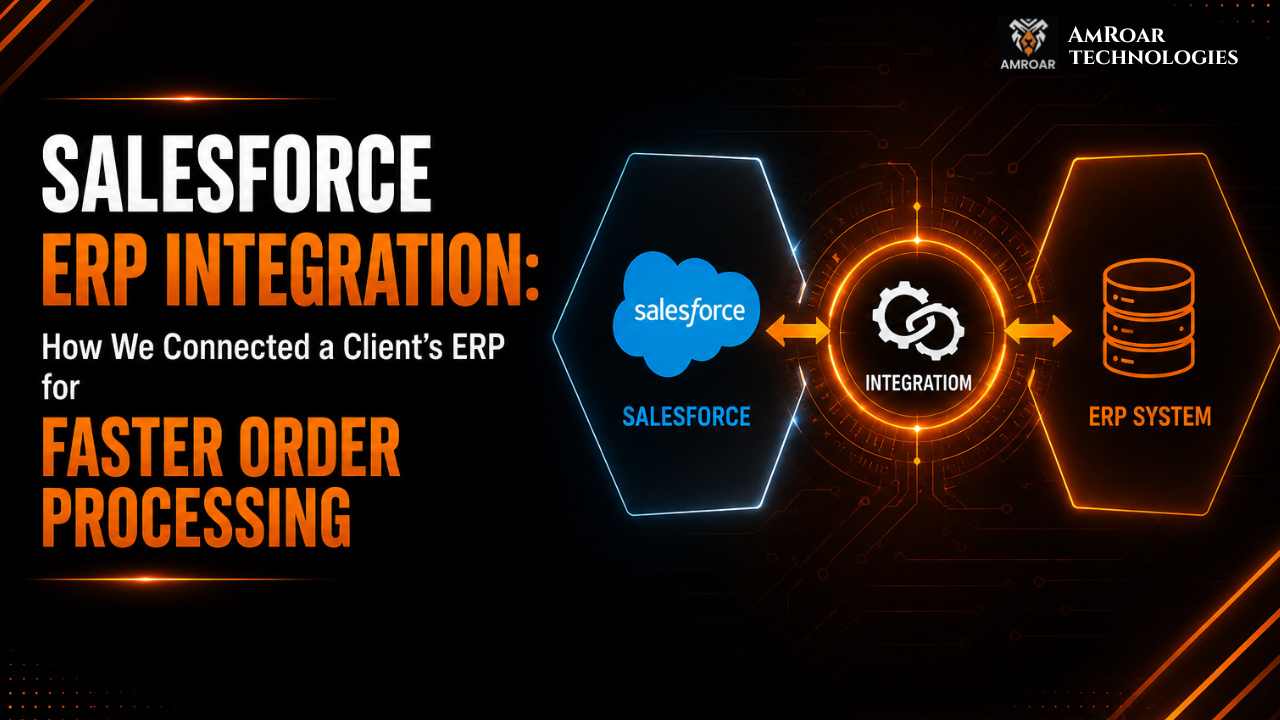
Salesforce ERP Integration: How We Connected a Client’s ERP for Faster Order Processing
Introduction
Two systems can each work perfectly on their own and still cause chaos together. Disconnected ERP and Salesforce systems usually look like this from the inside. It’s not a broken tool. It’s a broken handoff between two tools that never learned to talk to each other.
The client we’re writing about here ran into exactly that. Salesforce was where their sales team lived. Their ERP handled order fulfillment. The two systems had coexisted for years. Manual data entry bridged them, along with a few people who quietly knew how to make the workaround function. That workaround held together right up until order volume grew past the point where it was sustainable.
This post walks through what we found. It covers how we approached the Salesforce ERP integration, and what changed once the two systems were actually connected — without sharing anything specific to the client that would identify them. If you’re weighing whether ERP integration with Salesforce is worth prioritizing for your own business, this is the real process, problems included.
Meet the Challenge
The client is a mid-sized distribution business. Sales, warehouse, and finance all need to look at the same order at the same time here. A few days of delay in processing that order has a direct, visible cost.
Their ERP handled inventory, fulfillment, and invoicing. Multiple vendors had customized it heavily over the years. It wasn’t going anywhere — replacing it wasn’t on the table, nor should it have been. Salesforce ran everything customer-facing: quotes, opportunities, account records, and the sales pipeline.
Neither system was the actual problem. The real issue was that Salesforce and the ERP had never been properly connected. Someone on the operations team had to manually re-key every order that closed in Salesforce into the ERP. No live sync existed. No shared record existed either — no single version of an order that both systems agreed on.
The business impact was straightforward and expensive. Orders that should have taken a day to process were instead taking over a week. The cause was simple: a manual handoff between two systems that should have been talking to each other automatically.
The Problems We Discovered
Once we got into discovery, the specific cracks became clear. They’re what made this Salesforce ERP integration necessary.
Manual Order Processing
Every order needed a human to physically move it from Salesforce into the ERP. That meant checking line items, quantities, and pricing by hand. It happened every single time, with no automation involved anywhere in the chain.
Duplicate Customer Records
Years of parallel data entry across two systems had created customer records that existed twice. Sometimes the spelling differed slightly. Sometimes one system had outdated contact details while the other had current ones.
Inventory Synchronization Delays
Salesforce had no live view into actual stock levels. Sales reps sometimes quoted products that were already low or out of stock. The inventory data they could see was only as current as the last manual update. This is the kind of real-time visibility gap that tools like Salesforce Data Cloud are specifically built to close.
Sales and Finance Working With Different Data
Sales trusted Salesforce. Finance trusted the ERP. The two didn’t always match — which happened more often than anyone wanted to admit. Resolving the discrepancy meant a back-and-forth between teams instead of a quick lookup.
Limited Reporting Visibility
Leadership wanted one report showing the full picture from pipeline to fulfillment. Instead, they had two separate reports. Someone had to manually reconcile these every month, and even then, the numbers didn’t always agree.
Our Salesforce ERP Integration Strategy
We don’t open an API reference on day one of a project like this. Business process comes first. An integration that’s technically correct but built around the wrong assumptions just automates the existing problems faster.
Here’s how we approached this Salesforce ERP integration, specifically:
Discovery workshops. We sat down separately with sales, operations, and finance. Each team had a different — and sometimes contradictory — understanding of how an order was actually supposed to flow.
Process mapping. Before touching any technology, we mapped the entire order lifecycle as it existed on paper. Then we compared it against how orders actually moved in practice. The gap between the two was where most of the real problems lived.
Data mapping. Salesforce’s data model and the ERP’s data model don’t line up automatically. An Opportunity in Salesforce isn’t the same shape as a Sales Order in an ERP. So we built a detailed field-level mapping document before any development started.
API strategy. We assessed what the ERP’s API could and couldn’t do. That covered rate limits, supported endpoints, and data formats. From there, we decided which data needed to sync in real time versus what could safely run on a scheduled batch.
Security planning. Order, customer, and financial data moving between two systems has to stay properly authenticated and encrypted. Access needed to stay scoped to exactly what the integration required, nothing more.
Integration architecture. Downstream systems eventually needed this same order and inventory data too. So we chose an architecture that could scale beyond just Salesforce and the ERP, rather than a rigid, two-system-only connection. That’s the same reasoning behind why we lean on MuleSoft consulting for clients who expect to keep adding systems over time.
How We Connected Salesforce with the ERP
This is the part of the Salesforce ERP integration where planning turns into an actual working pipeline.
Step 1 – Business Process Analysis
We walked the entire order journey end to end. It started the moment a quote was created in Salesforce, and ended the moment an invoice was generated in the ERP. Every handoff, approval, and manual step got documented along the way.
Step 2 – Data Mapping
We mapped every field that needed to move between systems individually. That included figuring out how mismatched formats, pricing structures, and product hierarchies would reconcile during the sync.
Step 3 – API Development
This was the part where planning turned into actual code. We built the connections, the transformation logic, and the validation checks that let data move between Salesforce and the ERP without anyone touching it by hand. It wasn’t glamorous work. It meant writing something, running it against real orders, watching it break in some small way, then fixing that before moving to the next piece. Our Salesforce development team handled the parts standard connectors simply weren’t built for — pricing logic specific to this client, and a couple of ERP quirks that nobody had written down anywhere.
Step 4 – Integration Testing
Before anything went near production, we ran the integration against real, anonymized historical data. We were specifically hunting for edge cases: partial orders, cancellations, returns, and bulk updates. A simple happy-path test would never catch these.
Step 5 – Go-Live & Monitoring
We rolled the integration out in phases — order creation first, then status sync, then inventory visibility. Monitoring and alerting went in place from day one. That way, any sync failure would surface immediately instead of silently corrupting data downstream.
Challenges We Solved
Every Salesforce ERP integration of this scale surfaces a predictable set of obstacles. Here’s what we ran into and fixed on this one.
Legacy ERP limitations. Multiple vendors had customized the ERP over more than a decade. Nobody had documented some of those customizations anywhere. Part of our job was reverse-engineering what certain fields actually did before we could safely map them.
Duplicate data. We built deduplication logic directly into the sync. That way, the integration cleaned up conflicts as records moved, instead of quietly propagating them into both systems.
API restrictions. Here’s something that caught us early on in this Salesforce ERP integration. The ERP’s API had rate limits that simply didn’t match the client’s order volume. We couldn’t assume the API would just keep pace. Instead, we designed the sync around those limits from the start. That meant spacing calls out, batching where it made sense, and building in buffer room rather than hammering the endpoint and hoping for the best.
Large data volumes. Years of historical orders and customer records meant the initial sync had a genuinely large dataset to move. It couldn’t time out or quietly corrupt records halfway through the transfer.
Error handling. A failed sync nobody notices for weeks is arguably worse than no sync at all — we’ve seen that play out elsewhere. So we built retry logic and failure alerts directly into the pipeline. If something failed, someone on the team knew that same day. Nobody found out a month later when a customer called asking where their order had gone.
User adoption. Even after the integration went live, some team members kept manually double-checking the ERP out of habit. Getting real adoption took explicit training. It also took a few weeks of visible proof that the automated sync could be trusted.
The Results
This is the outcome that matters most from any Salesforce ERP integration. Order processing that used to take up to nine days from close to fulfillment now happens same-day in most cases. That’s the direct result of removing the manual re-entry step that used to sit between Salesforce and the ERP.
Beyond that headline number, the broader shift looked like this:
- Better data accuracy, since records now move automatically instead of someone re-typing them by hand
- Faster sales operations, with reps working off real inventory and order status instead of stale exports
- Real-time reporting, replacing the monthly manual reconciliation between two separate systems
- Reduced manual work, freeing the operations team from hours of repetitive data entry every week
- Improved customer experience, since support and sales could answer order-status questions instantly instead of routing them elsewhere
Where we can share real numbers, as we have here, we will. When a project doesn’t have a clean, verifiable figure to point to, we’d rather describe the actual shift honestly than dress up a made-up statistic.
Lessons Businesses Can Learn
A few practical takeaways from this Salesforce ERP integration worth applying to your own project:
- Clean your data before integrating. A Salesforce ERP integration doesn’t fix bad data on its own — it just moves bad data faster, into two systems instead of one.
- Define ownership clearly. Before connecting anything, agree on which system owns inventory numbers, which owns pricing, and which owns customer records. Skip that conversation, and you’ll spend years refereeing disputes between two systems that both think they’re right.
- Don’t hardcode a point-to-point connection. It’ll probably work fine on day one. The moment either system changes its schema, though, that rigid link snaps. Build assuming things will change, because eventually they will.
- Monitor your APIs continuously. A sync that fails silently is more dangerous than no sync at all, because everyone assumes the data is accurate when it isn’t.
- Test with real business scenarios, not just clean, ideal-case data. Cancellations, partial shipments, and returns are where integrations actually break.
- Train your users properly. Adoption doesn’t happen automatically just because the technology works. People need a reason to trust a new automated process.
Common Salesforce ERP Integration Mistakes
The same handful of mistakes tends to show up again and again on Salesforce ERP integration projects like this. Most of them have nothing to do with technical skill.
Poor planning is usually first. Teams treat the whole thing as a technical task when it’s really a redesign of how the business operates day to day. Close behind it is skipping discovery entirely. A team jumps straight into building without spending the time to understand how orders actually move through the business right now, not on paper.
Bad field mapping trips people up more than they expect. It’s an easy assumption that two systems structure the same data the same way, and they almost never do. Weak documentation causes pain much later, when the next admin, or the next consultant, inherits a system nobody bothered to explain. No monitoring is its own trap: teams treat “it’s live” as “it’s done,” right when they should be watching most closely. And ignoring data quality — syncing duplicate or outdated records straight into a shiny new integration — just guarantees the same mess gets cleaned up twice instead of once.
Is Your Business Ready for Salesforce ERP Integration?
Not every business needs this on day one. It tends to become a real priority once you start noticing:
- Manual order entry consuming hours of your team’s week
- Duplicate work across sales and operations because neither trusts the other’s numbers
- Slow approvals, where every discount or credit check requires checking a second system
- Disconnected reporting, where leadership can’t get one accurate picture without manual reconciliation
- Growing operations, where the workaround holding things together now clearly won’t hold at twice the volume
If two or more of these sound familiar, that’s a strong signal. A proper Salesforce ERP integration is worth a real conversation, before the gap between your systems gets any more expensive to close.
Final Thoughts
A Salesforce ERP integration isn’t really a software project. It’s a business process project that happens to involve software. The technical connection between two systems is rarely the hard part. The hard part is understanding the business well enough to know what should move automatically, what still needs a human involved, and what happens when something breaks at the worst possible time.
Done properly, the payoff is real. You get faster order processing, one trustworthy version of the truth instead of two competing ones, and a team that spends its time on actual work instead of re-typing the same data twice. If your Salesforce and ERP systems are still bridged by manual effort and goodwill, our API & System Integration services team can walk through what a properly connected setup would look like for your specific business. If you’d rather just talk it through, book a free 30-minute call and we’ll look at your setup together.
Comments are closed