
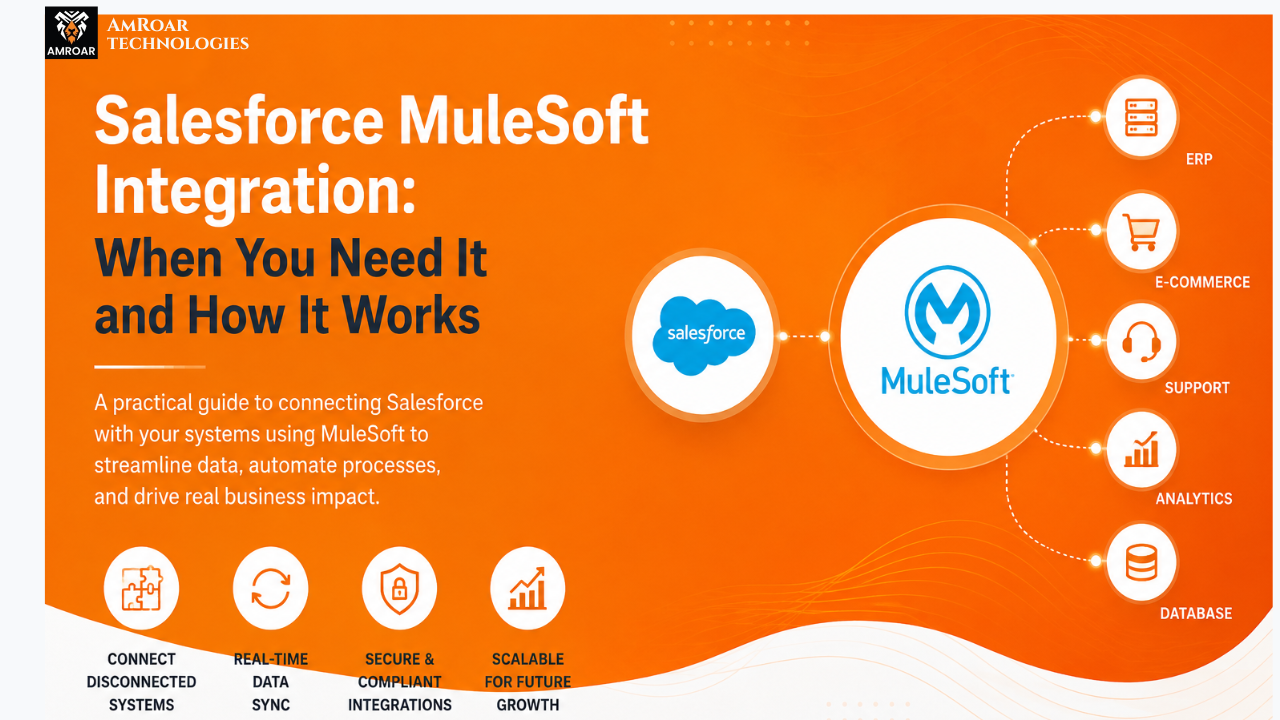
Salesforce MuleSoft Integration: When You Need It and How It Works
Let’s Be Honest About the Integration Problem
Salesforce MuleSoft Integration is rapidly becoming the backbone of how modern businesses connect their disconnected systems.Most businesses don’t have a data problem. They have a data access problem.
The data exists. It’s sitting in your CRM, your ERP, your support desk, your billing system, your e-commerce platform. The challenge isn’t that the data is missing — it’s that none of these systems are talking to each other. Your sales rep closes a deal in Salesforce, but the finance team is still working off a spreadsheet they pulled three days ago. Your warehouse marks an order as shipped, but the customer portal still shows “processing.”
Sound familiar? It should. This exact situation plays out thousands of times a day across businesses of every size and industry.
That’s precisely where Salesforce MuleSoft integration comes in. Not as a buzzword, not as a shiny enterprise tool that looks impressive in a procurement deck — but as a practical, field-tested solution to a problem that genuinely slows businesses down.
In this article, we’re going to walk through what MuleSoft actually does, how it connects with Salesforce, the scenarios where it makes real sense, and what you can honestly expect from an implementation. No fluff. Just the information you need to make a smart decision.
What Is MuleSoft? And Why Is It Different?
MuleSoft started as an independent integration platform back in 2006. Salesforce acquired it in 2018 for about $6.5 billion — one of the largest acquisitions in CRM history. That price tag tells you something about how seriously the enterprise world takes integration infrastructure.
At its core, MuleSoft is built around a product called Anypoint Platform. Think of it as a control center for all your business integrations and APIs. It’s where you design how data flows between systems, build the connectors that make it happen, publish APIs for others to consume, and monitor everything once it’s live.
What separates MuleSoft from simpler integration tools — your basic Zapier-style connectors or even native Salesforce integrations — is the concept of API-led connectivity. Instead of building one-off connections between individual systems, MuleSoft encourages you to build a structured layer of reusable APIs. Once you’ve built an API that exposes your customer data from Salesforce, any other system in your organization can consume that API. You build it once. You reuse it everywhere.
That reusability is where the long-term value lives. In year one, it might not feel dramatically different from other tools. By year three, when your development team is deploying a new integration in days instead of months because they’re reusing APIs already in the library — that’s when it clicks.
The platform also handles real-time data flows, batch processing, event-driven triggers, and complex data transformations between formats like JSON, XML, CSV, and EDI. It supports hundreds of pre-built connectors to popular enterprise systems through its Anypoint Exchange marketplace.
When Does Your Business Actually Need Salesforce MuleSoft Integration?
This is the question worth slowing down on, because MuleSoft is not a fit for every situation. It’s a serious platform, and it comes with a serious investment of both budget and implementation effort. If you’re a small business with two or three systems and a handful of data touchpoints, there are lighter-weight solutions that will serve you better.
But if any of the following situations describe your organization, it’s worth having a genuine conversation about MuleSoft Salesforce integration:
Your Technology Stack Has Grown Faster Than Your Integration Architecture
This is the most common trigger. A business acquires a new tool every year — a marketing automation platform here, a new ERP module there, a customer portal built on a different framework — and suddenly the IT team is maintaining a web of point-to-point connections that nobody fully understands. Change one system and three others break. That’s not a technology problem; it’s an architecture problem. And MuleSoft is specifically designed to replace that web with a structured, manageable layer of APIs.
Real-Time Data Accuracy Is a Business Requirement, Not a Nice-to-Have
In some industries — financial services, logistics, healthcare, retail — stale data isn’t just inconvenient. It’s a liability. If your stock levels in Salesforce Commerce Cloud don’t reflect what’s actually in the warehouse, you’re either overselling or turning away sales unnecessarily. MuleSoft’s real-time API integration capabilities ensure that when something changes in one system, the rest of your stack knows about it immediately — not after the next scheduled batch job.
You’re Undertaking a Serious Digital Transformation Effort
Organizations going through genuine digital transformation — modernizing legacy systems, moving workloads to cloud, building new customer-facing applications — need an integration layer that can scale with them. MuleSoft gives you that foundation. Rather than rebuilding your integration architecture every time you change a backend system, you update the relevant API and everything that consumes it continues working. It’s a much more sustainable approach for businesses thinking five or ten years ahead.
Data Security and Compliance Are Non-Negotiable
If you’re operating in a regulated industry — healthcare, financial services, insurance, government — you need integration infrastructure that takes security seriously. MuleSoft provides OAuth 2.0 authentication, end-to-end encryption, role-based access controls, and detailed audit trails for every API call. These aren’t features you add on later; they’re baked into the platform by design. That matters enormously when you’re integrating systems that touch patient records, financial transactions, or personally identifiable information.
Your Developers Are Spending Half Their Time Maintaining Integration Code
This is a signal many technical leaders recognize but don’t always name clearly. When your engineering team’s velocity starts to slow because they’re constantly firefighting broken integrations, debugging custom glue code, or manually syncing data between systems — the hidden cost is enormous. MuleSoft implementation replaces that maintenance burden with a governed, monitored, and documented integration layer. Development teams that adopt it consistently report spending significantly less time on integration maintenance and more time building things that actually move the business forward.
How Salesforce MuleSoft Integration Actually Works
Let’s get into the mechanics, without drowning in jargon.
The Three-Layer API Architecture
MuleSoft’s recommended approach organizes integrations into three distinct layers, each with a clear purpose:
- System APIs sit closest to your backend systems. They connect directly to Salesforce, your ERP, your database, or any other source of record. Their job is simple: expose the data from that system in a clean, standardized format. No business logic lives here.
- Process APIs handle the business logic in between. If you need to combine a customer record from Salesforce with their order history from your ERP and their support tickets from Zendesk into a single unified view — that orchestration happens at the process layer.
- Experience APIs deliver tailored data to specific consuming applications. Your mobile app needs data formatted differently than your internal dashboard or your partner portal. Experience APIs handle that customization without touching the underlying system or process APIs.
Why does this matter? Because when your ERP vendor releases a new version and changes their data schema, you update the System API that connects to it. The process APIs and experience APIs consuming that data don’t need to change. You fix one layer, not everything downstream. That’s the payoff of the architecture.
Anypoint Platform: The Toolset
All of this runs through the Anypoint Platform, which gives your team:
- Anypoint Studio — a desktop development environment where integrations are built using a visual drag-and-drop interface alongside hand-written code.
- Anypoint Exchange — a marketplace of pre-built connectors, templates, and published APIs that your team can reuse across projects.
- API Manager — where you control API access policies, rate limits, and security settings.
- Runtime Manager — where integrations are deployed and monitored, whether on Salesforce’s CloudHub or your own servers.
- Anypoint Monitoring — real-time dashboards that show you exactly what’s flowing through your integrations, where errors are occurring, and how performance looks across your entire API ecosystem.
DataWeave: The Data Transformation Engine
One of the more underrated pieces of the MuleSoft platform is DataWeave — a purpose-built data transformation language that’s genuinely elegant once you get familiar with it. Enterprise systems almost never speak the same data language. Salesforce uses JSON; your ERP might return XML; your logistics provider sends flat CSV files. DataWeave maps between all of these formats cleanly, with surprisingly readable code that your team can maintain without being DataWeave experts from day one.
Error Handling That Actually Works in Production
Any integration platform can move data when everything is working. The question is what happens when it’s not. A downstream system times out. An API returns an unexpected response. A data record fails validation. MuleSoft lets you build error handling directly into your integration flows — specifying retry logic, fallback processes, dead-letter queues, and alert triggers for different failure scenarios. This is what separates production-grade integration from proof-of-concept work.
Where Businesses Are Actually Using This
Abstract architecture diagrams only take you so far. Here’s how Salesforce MuleSoft integration looks in practice across different industries.
Retail: Inventory That’s Actually Accurate
A multi-channel retailer sells through its website, physical stores, and a wholesale portal. For years, inventory data lived in three different places, updated on different schedules, causing overselling online and frustrated customers at the point of sale. After implementing MuleSoft to synchronize Salesforce Commerce Cloud with their warehouse management system and POS platform in real time, inventory discrepancies dropped to near zero. The operations team stopped spending their mornings reconciling spreadsheets.
Financial Services: One View of the Customer
A regional bank’s relationship managers were toggling between four different screens to build a picture of a customer — the core banking system, a separate loan platform, a portfolio management tool, and Salesforce CRM. MuleSoft brought all of that together into a unified customer view inside Salesforce. The time advisors spent gathering information before client calls dropped significantly, and the quality of those conversations improved because advisors were actually prepared.
Manufacturing: From Quote to Production Without the Manual Steps
A manufacturer using Salesforce CPQ for quoting had a problem: when a quote became an order, someone had to manually re-enter that data into the ERP to trigger production. It was slow, error-prone, and nobody’s favorite job. After connecting Salesforce CPQ and the ERP through MuleSoft, a closed deal in Salesforce automatically flows into the ERP, triggers the production order, and updates the customer portal. What used to take hours now happens in seconds.
Healthcare: Connected Care Without Compromising Privacy
A healthcare network used MuleSoft to integrate its electronic health records system with Salesforce Health Cloud, giving care coordinators access to patient history, upcoming appointments, and care plans in one place. Every integration runs through MuleSoft’s API governance layer, which enforces HIPAA compliance controls consistently across every data flow. Patient data moves where it needs to go — but only to the right people, under the right conditions.
What a MuleSoft Implementation Actually Looks Like
Let’s be straightforward here: implementing MuleSoft is not a weekend project. It’s a structured engagement that requires clear planning, the right people, and realistic expectations about timeline.
A typical MuleSoft Salesforce integration project moves through these phases:
- Discovery — Map your current systems, data flows, and integration requirements. Understand where the pain points are and what “good” looks like on the other side.
- Architecture Design — Define the API-led architecture. Which systems get System APIs? Which business processes need Process APIs? What experience layers are required?
- API Design First — Before any code is written, APIs are designed as specifications in Anypoint Design Center. This contract-first approach catches misalignments early, when they’re cheap to fix.
- Build and Test — Integration flows are developed in Anypoint Studio, tested with MUnit (MuleSoft’s testing framework), and reviewed for security and performance.
- Deploy and Monitor — Applications go live on CloudHub or on-premise Mule Runtime, with monitoring configured from day one — not as an afterthought.
- Handover and Enablement — Your team needs to understand what’s been built so they can maintain it, extend it, and reuse the assets in future projects.
Timeline depends heavily on scope. A focused integration between Salesforce and one other system can go live in six to ten weeks. Broad enterprise integration programs covering ten or more systems realistically run twelve to twenty-four months. Working with an experienced MuleSoft implementation partner makes a measurable difference — not just in speed, but in the quality and reusability of what gets built.
MuleSoft vs. Other Options: An Honest Comparison
There’s no shortage of integration tools on the market. Here’s how MuleSoft honestly stacks up:
- Native Salesforce integrations (Platform Events, Salesforce Connect, Flow integrations) work well for scenarios that stay within the Salesforce ecosystem. The moment you need to connect to systems outside Salesforce in any meaningful depth, these tools hit their ceiling quickly.
- Dell Boomi, Workato, Informatica are solid iPaaS platforms, particularly for teams that want faster time-to-first-integration and simpler configuration. They’re often a better fit for mid-market businesses. MuleSoft pulls ahead in scenarios requiring deep enterprise customization, sophisticated API governance, and very high transaction volumes.
- Custom-coded integrations give you complete control but create a maintenance debt that compounds over time. Every developer who wrote that integration code is a single point of failure. Every undocumented edge case is a future outage. At a certain scale, the cost of maintaining custom integration code outweighs any initial savings from not buying a platform.
The honest answer is this: if you have a complex, multi-system environment with serious governance requirements and a long integration roadmap ahead, MuleSoft is genuinely hard to beat. If you have a simpler environment, other tools might get you there faster and cheaper. The right answer depends on your specific situation, not on a vendor’s positioning.
What You Actually Get on the Other Side
For organizations that go through a well-executed Salesforce MuleSoft integration — here’s what the other side looks like:
- Salesforce and every other system in your stack stay synchronized without manual intervention
- Your team sees accurate, real-time data regardless of which application they’re working in
- Future integrations take a fraction of the time because you’re reusing APIs already built
- Security and compliance policies are enforced consistently across all data flows
- Your developers spend their time building new capabilities, not firefighting broken connections
- When a backend system changes, you update one API — not fifteen integrations
None of this is theoretical. Organizations that invest seriously in their integration architecture consistently outperform those that patch the problem with point-to-point connections and manual processes. The operational efficiency compounds. The data quality improves. The customer experience gets better because the people serving customers have complete, accurate information in front of them.
Integration is one of those things that’s easy to put off. The current setup works well enough. There are always more urgent priorities. But the cost of waiting tends to be invisible — it shows up in duplicated effort, in customer complaints that stem from data inconsistencies, in development cycles that slow down because nobody wants to touch the fragile integration code.
Salesforce MuleSoft integration is not a magic solution. It requires real investment, real planning, and real expertise to do well. But for businesses that are serious about operating efficiently at scale, it provides something genuinely valuable: a durable, governed, and reusable foundation for every integration your business will ever need to build.
The companies we see getting the most out of MuleSoft are the ones that treat it as infrastructure — not a project. They invest in the architecture upfront, they enforce reusability standards, and they build on that foundation steadily over time. The compounding returns are real.
Ready to Build Your Integration Foundation?
At Amroar, we help businesses design and implement Salesforce MuleSoft integration solutions that are built to last — not just to work right now. From architecture planning to full deployment, our team has walked this road with organizations across retail, healthcare, finance, and manufacturing. We know where the pitfalls are, and we know how to build integrations that your team can actually maintain and build on.
Visit our MuleSoft services page to see exactly how we approach integration projects, the industries we serve, and the outcomes our clients have achieved. If you’re evaluating whether MuleSoft is right for your business, that’s the right place to start.
Get in touch with the Amroar team today. Tell us where your integration problems are causing the most pain — and let’s have an honest conversation about what it would take to fix them properly.
Questions we get asked every week.
Need help doing this? See our MuleSoft consulting services.
Comments are closed