
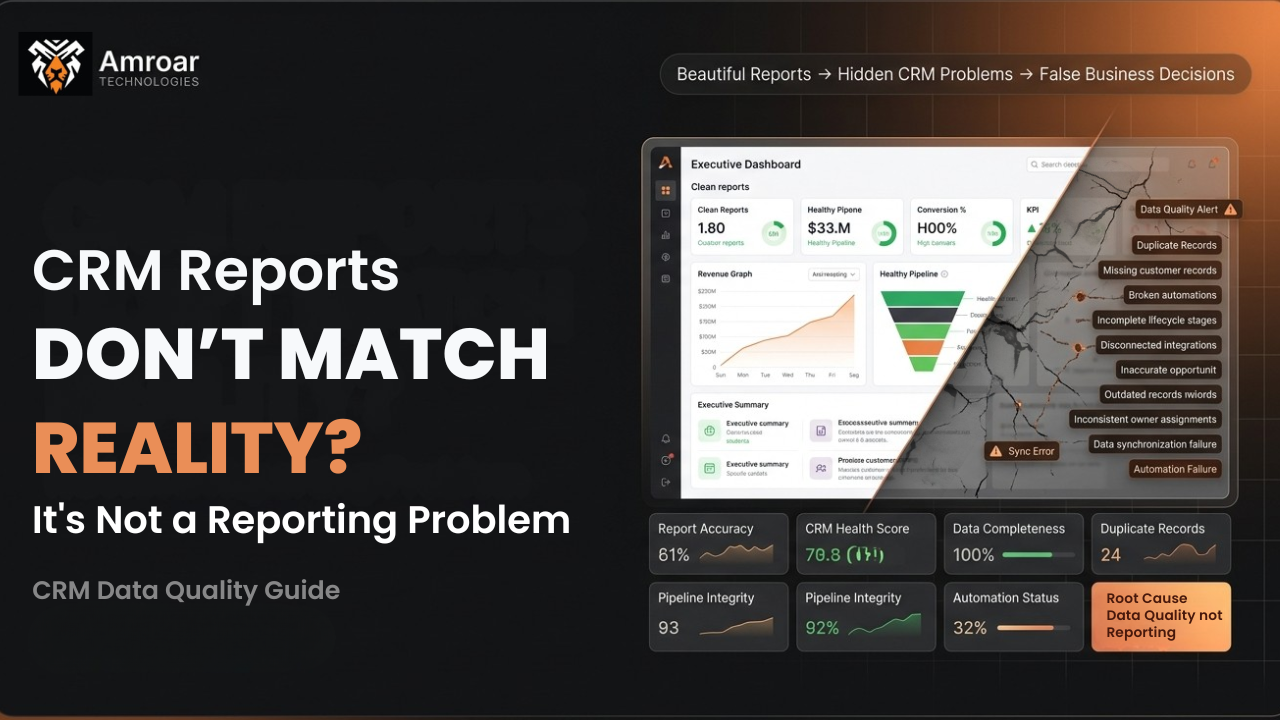
Why Your CRM Reports Don’t Match Reality (And It’s Not a Reporting Problem)
You pull up the dashboard before a Monday leadership meeting. Pipeline looks healthy. Forecast looks solid. Then someone on the sales team quietly mentions that three of those “committed” deals fell apart two weeks ago. Nobody updated the CRM. So the dashboard didn’t know. If this sounds familiar, you’re not alone, and you’re not doing CRM reporting wrong. You’re looking at a dashboard that’s only as honest as the data feeding it — and that’s where things usually go sideways.
Most teams respond to this problem by rebuilding the report. New filters, new fields, a prettier layout. It rarely fixes anything, because the report was never broken. The report is just a mirror. If the picture looks distorted, the problem is standing in front of the mirror, not the glass itself.
The Real Problem: CRM Reporting Reflects Behavior, Not Just Data
Here’s the part most CRM Optimization conversations skip.
A CRM report is a summary of whatever your team actually did inside the system. Not what they were supposed to do. Not what the process says should happen. What actually happened, logged in real time, by real people, under real deadline pressure.
So when reports don’t match reality, the honest question isn’t “why is the dashboard wrong?”
It’s “why doesn’t the data match what’s really going on in the business?”
That’s a workflow question, a habits question, and sometimes an incentives question — long before it’s a technical one.
Where CRM Reporting Data Actually Breaks Down
Let’s get specific, because “bad data” is too vague to fix.
1. Manual data entry gaps
Reps update deal stages when they remember to, not necessarily when a deal actually moves. A prospect goes cold on a Tuesday. The CRM still shows them as “Negotiation” three weeks later because nobody closed the loop.
This is the single biggest driver of CRM Data Quality issues in mid-size sales orgs, and it’s rarely about lazy reps. It’s about a CRM that takes too many clicks to update honestly, so people update it when convenient instead of when accurate.
2. Inconsistent field usage across teams
Sales calls it “Qualified.” Marketing calls the same stage “MQL Converted.” Customer success has its own version of “Active” that doesn’t map to either.
When departments define the same concept differently, your CRM Dashboard ends up averaging together numbers that were never meant to be compared. The report looks precise. The underlying logic isn’t.
3. Duplicate and orphaned records
Two reps create separate contact records for the same buyer because neither checked first. Now your pipeline math double-counts the deal, or worse, only half the activity history shows up under one of the two records.
This is a quiet killer. Nobody notices duplicates in a report — they just notice the numbers feel “off” without knowing why.
4. Automation rules built on outdated assumptions
A workflow rule written 18 months ago still auto-assigns leads based on a territory map that changed twice since then. The automation runs perfectly. It’s just automating the wrong outcome now, silently, in the background.
This is a common failure point in Salesforce Reporting environments especially, where complex automation can run for years without anyone auditing whether the original logic still applies.
5. Integration lag between systems
Your CRM talks to your billing system, your support desk, and your marketing platform. Each sync has its own refresh interval. A report pulled at 9 a.m. can genuinely disagree with the same report pulled at 2 p.m., not because anything is broken, but because the systems haven’t finished talking to each other yet.
This shows up constantly in HubSpot Reporting setups connected to external tools — the CRM is accurate for what it knows, it just doesn’t know everything yet.
A Realistic Example
Picture a 40-person sales team running Salesforce, with monthly revenue targets tied to forecast accuracy.
The VP pulls the forecast report. It shows $2.1M in committed pipeline for the quarter. Finance builds hiring plans around that number.
Actual close: $1.4M.
Nobody lied. What actually happened:
- Twelve deals sat in “Negotiation” for over 60 days with zero updated activity, because reps were busy and didn’t want to mark them lost yet.
- A lead-routing automation had been quietly misassigning inbound leads from one region for five weeks after a territory change, so those deals never got timely follow-up and stalled without anyone noticing in the CRM.
- Two reps had separate records for the same enterprise account, and only one record showed the real deal value.
None of that shows up as a “reporting error.” It shows up as a forecast that quietly drifted away from reality, one small habit and one outdated rule at a time.
Why This Matters More As You Scale
Small teams can survive messy CRM data because someone always “just knows” what’s actually going on. Ten reps, one sales manager, tribal knowledge fills the gaps.
That stops working past a certain size.
Once you’re relying on CRM Analytics to make real decisions — hiring, budget, forecasting, board reporting — tribal knowledge can’t scale with you. The system has to carry the truth on its own, because there’s no longer one person who can mentally patch the gaps.
This is usually the exact moment companies discover their CRM reporting has been quietly unreliable for a while. It just didn’t matter yet.
Common Mistakes When Teams Try to Fix This
Mistake 1: Rebuilding the dashboard instead of the input process. A prettier chart doesn’t fix a stale data source. It just displays the same wrong numbers with better formatting.
Mistake 2: Adding more required fields. More mandatory fields usually means more fields people fill in carelessly just to move past the form. Data quantity goes up. Data quality doesn’t.
Mistake 3: Blaming the sales team. Reps respond to whatever the CRM makes easy or hard. If updating a deal stage takes eight clicks, don’t be surprised when it happens less often than it should.
Mistake 4: Treating automation as “set and forget.” Rules and workflows need periodic audits, especially after org changes, territory shifts, or process updates. Automation doesn’t know your business changed unless someone tells it.
Mistake 5: Ignoring integration timing. If two systems sync on different schedules, decide which one is the source of truth for each metric, and say so clearly. Otherwise every report becomes a debate.
CRM Reporting Problems vs. Their Real Root Cause
| What You See in the Report | What It Looks Like | What’s Actually Happening |
|---|---|---|
| Inflated pipeline value | Deals stuck in old stages | Reps not updating stale opportunities |
| Inconsistent lead counts | Marketing and sales numbers don’t match | Different field definitions across teams |
| Forecast misses target | Confident numbers, disappointing close rate | Automation routing leads incorrectly |
| Duplicate contacts skew totals | Pipeline looks bigger than it is | No dedupe process at data entry |
| Reports change hour to hour | Numbers shift without explanation | Integration sync delay between systems |
What This Means for Your Business
Here’s the translation from technical issue to business impact.
Forecast accuracy affects hiring and budget decisions. If your CRM Reporting is off by 30%, your headcount planning is built on a number that was never real.
Sales coaching gets misdirected. A manager coaching reps based on flawed stage data is solving the wrong problem, sometimes for months.
Trust in the system erodes. Once leadership catches the dashboard being wrong twice, they stop trusting it entirely and start asking for manual spreadsheets instead — which defeats the purpose of having a CRM in the first place.
Customer experience suffers indirectly. Misrouted leads, duplicate records, and stale opportunity data all mean slower, less informed follow-up with actual buyers.
Fixing CRM Data Quality isn’t a reporting project. It’s an operational one, and it usually touches process design, field governance, and automation review as much as it touches the dashboard itself.
How to Actually Fix It
- Audit before you rebuild. Before touching a single report, trace where the numbers come from. Which fields, which automations, which integrations feed that dashboard.
- Standardize field definitions across teams. Get sales, marketing, and customer success agreeing on what “Qualified,” “Active,” and “Closed” actually mean, in writing.
- Reduce friction in data entry. If updating a record takes too long, simplify the workflow. Fewer, smarter required fields beat a long mandatory checklist every time.
- Schedule regular automation audits. Quarterly reviews of routing rules, workflows, and territory logic catch drift before it compounds into a bad forecast.
- Pick a single source of truth per metric. When multiple systems could technically answer “how many active deals do we have,” decide in advance which one wins.
- Run a deduplication pass on a schedule, not just once. New duplicates creep in constantly, especially with manual lead creation.
None of this is glamorous. It’s also the only thing that actually closes the gap between what your CRM Dashboard shows and what’s really happening in the business.
The Bottom Line
CRM reporting doesn’t lie. It just repeats whatever it was told, exactly and literally, with no judgment about whether that input was accurate, current, or complete.
If your reports don’t match reality, the fix isn’t a better chart. It’s a closer look at how data enters the system in the first place — the habits, the automations, the definitions, and the handoffs between tools.
Get that right, and the dashboard stops being something you double-check. It becomes something you actually trust.
If you’re trying to figure out where your own CRM reporting is quietly drifting from reality, it’s usually worth a structured audit before any rebuild — that’s often where the real answer turns up.
Wondering whether your CRM reports are actually telling you the truth — or just repeating whatever got logged? Talk to Amroar — we’ll give you an honest read on where your CRM Reporting is drifting from reality before recommending anything. Or connect with us on LinkedIn to start the conversation.
Comments are closed