
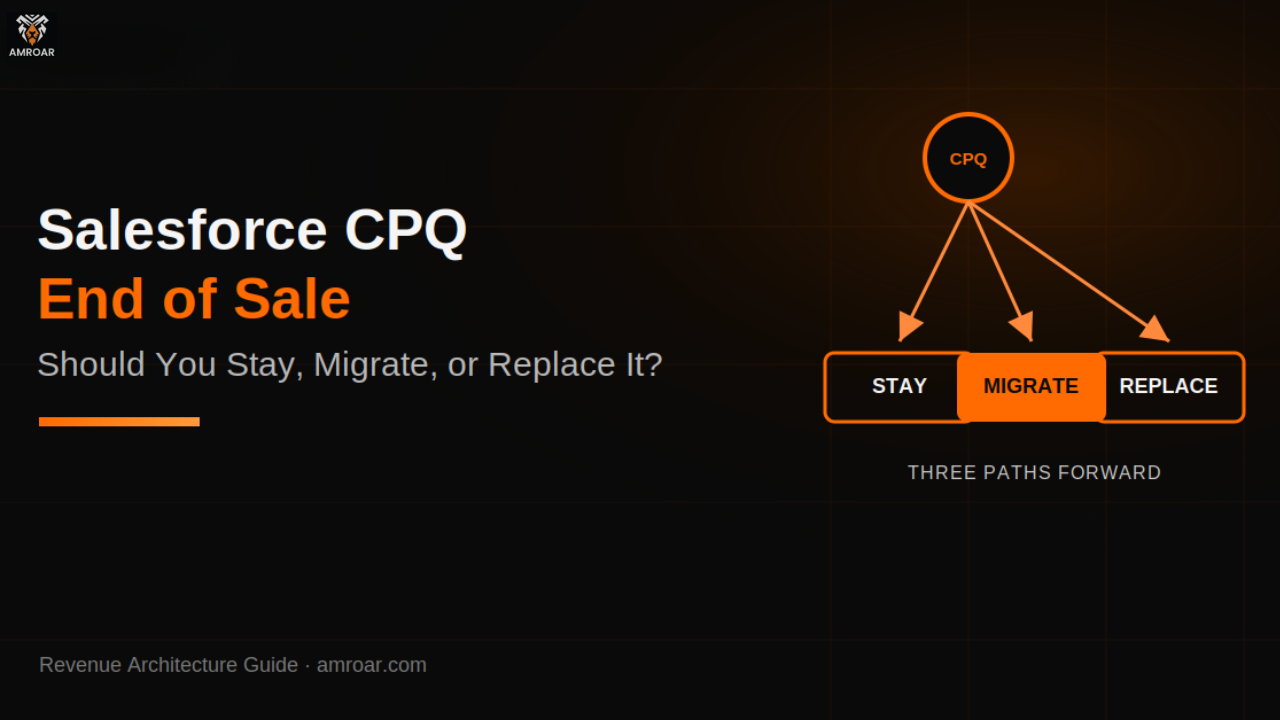
Salesforce CPQ End of Sale: Should You Stay, Migrate, or Replace It?
Salesforce CPQ is no longer being sold. That line alone has been enough to send existing customers straight into panic mode, and the first question almost everyone asks is the same one: does this mean we need to migrate immediately?
The honest answer is no, not immediately. Salesforce CPQ went end of sale in March 2025, which is a real milestone, but it’s not the same thing as end of life. Existing customers can keep renewing, keep adding seats, and keep getting support. What’s actually changed is where Salesforce is pointing its investment going forward. That doesn’t mean you should ignore it either. It means you now have three real paths in front of you — stay on it, migrate to Salesforce’s newer revenue platform, or replace it with something else entirely — and this article is about how to actually choose between them.
What Does Salesforce CPQ End of Sale Actually Mean?
Here’s the direct answer: Salesforce CPQ end of sale means Salesforce stopped selling new licenses to new customers as of March 2025. It does not mean the product stopped working, and it doesn’t mean Salesforce pulled support out from under existing customers.
End of sale and end of life are two different milestones, and the gap between them matters. The first just means new sales stopped. End of life would mean support stops entirely — and Salesforce hasn’t announced that date. Industry estimates put a likely end-of-life window somewhere around 2029 to 2030, based on how Salesforce has historically spaced these transitions, but nothing official exists yet.
So is Salesforce CPQ being discontinued? Not in the sense most people mean when they ask that. Existing implementations keep running, renewals still go through, and support tickets still get answered — which is exactly what Salesforce’s own end-of-sale clarification page says directly. There’s no reason to panic. There is a real reason to start paying attention.
Why Is Salesforce Moving Away From CPQ?
The short version: it was built as a managed package bolted onto the Salesforce CRM, and that architecture is showing its age. Large product catalogs slow it down. Complex pricing scenarios often need custom scripting that only a specialist can maintain. It was well suited to the world it launched into, which isn’t quite the world businesses operate in now.
Salesforce’s actual investment has shifted toward Revenue Cloud Advanced — the platform many people still know as Salesforce Revenue Cloud, and one that’s increasingly being folded into Salesforce’s broader Agentforce Revenue Management push. It’s a native, API-first approach instead of a managed package sitting on top of the CRM, and it’s built to support quoting, billing, and revenue processes as one connected system rather than a standalone tool with everything else stitched around it.
That AI-native direction is also why this decision is showing up in more conversations right now than it did a year ago. If your business is already leaning into agent-based workflows elsewhere, it’s worth reading how Agentforce projects tend to fail after a promising demo before assuming a revenue platform migration will be any less demanding.
For existing customers, this matters less as a technical detail and more as a planning signal. The tool you’re on isn’t going anywhere tomorrow, but it also isn’t where new capability is landing anymore.
Your 3 Options After Salesforce CPQ End of Sale
This is really the core decision, and it usually comes down to one of three paths.
Option 1: Stay on Salesforce CPQ
Staying makes sense when your current setup actually works. If your pricing and product model is stable, if you’re not planning major changes to how revenue moves through your business, and if migrating right now would introduce risk without a clear payoff, there’s no rule saying you have to move just because it’s technically end of sale.
But staying shouldn’t mean ignoring what’s coming. Start documenting your current architecture now — your customizations, your pricing rules, your integrations — so that whenever you do decide to move, you’re not starting that process from zero.
Option 2: Migrate to Salesforce’s New Revenue Platform
Migration starts making sense when your business is genuinely growing, your pricing and product structures are getting more complex, or your current setup has quietly accumulated enough technical debt that every new configuration feels harder than the last one. It’s also worth considering if you’re planning bigger Salesforce or AI investments where a migration to a more native, connected platform would actually pay off.
Here’s the part that catches people off guard: this isn’t a feature you switch on. Your existing configuration, customizations, data, integrations, and business logic all have to be evaluated individually. A Salesforce CPQ migration is a reimplementation, not an upgrade — the underlying data model is genuinely different. Get the Salesforce CPQ migration strategy wrong at this stage, and you’re rebuilding twice instead of once.
Option 3: Replace Salesforce CPQ With Another Solution
Replacement is worth considering when your requirements are genuinely specialized, when another platform fits your actual business better, or when you’re operating across multiple CRM ecosystems where staying inside Salesforce’s revenue tools stops making sense. It’s also worth a look if your current setup no longer matches your broader technology strategy — which is really the same audit we’d recommend running across your whole sales stack before deciding what stays and what gets replaced.
This isn’t the place for a list of ten CPQ competitors — a genuine list of Salesforce CPQ alternatives is a separate conversation entirely. What matters here is recognizing when the honest answer is that a Salesforce CPQ replacement, not a migration, is actually the direction your business needs.
Salesforce CPQ vs. Revenue Cloud: What’s the Difference?
Here’s a factual side-by-side, without oversell in either direction.
| Area | Salesforce CPQ | Salesforce Revenue Cloud |
| Current position | Existing, legacy managed package | Salesforce’s active investment |
| Existing customers | Can continue using and renewing | Requires a full migration |
| Product management | Yes | Yes |
| Pricing | Yes | Yes, with declarative pricing |
| Quoting | Yes | Yes, native object model |
| Revenue processes | More limited | Broader, quote-to-cash native |
| Future innovation | Limited going forward | Active development |
| Migration effort | Not applicable | Requires real planning |
We’re not calling CPQ broken here — we’re calling it frozen. Salesforce Revenue Cloud isn’t automatically better for every business; it’s just where the roadmap is heading.
How Do You Know Which Option Is Right for Your Business?
A simple way to think about it: stay if your current setup works, your requirements are stable, and migrating doesn’t have a strong business case yet. Migrate if you want Salesforce’s newer revenue capabilities and your business is genuinely evolving past what CPQ was built for. Replace if your requirements don’t fit Salesforce’s direction at all, or another platform is a clearly better match for what you actually need.
None of these are permanent decisions carved in stone — they’re just the right call for where your business is right now.
7 Signs It’s Time to Move Beyond Salesforce CPQ
- Your pricing model has become more complex than CPQ was ever configured to handle
- Your product catalog is genuinely difficult to manage or keep accurate
- Your setup relies heavily on custom scripting just to function day to day
- Your integrations are becoming harder to maintain every time something upstream changes
- Your quote-to-cash process now extends well beyond what CPQ was designed to cover
- Your business genuinely needs the broader revenue-management capabilities CPQ doesn’t have
- Your existing CPQ architecture is creating technical debt that shows up in every new project
What Should You Audit Before Making a Decision?
Don’t pick your next platform before you actually understand what your current setup is doing. That means going through:
- Product catalog structure
- Price books and pricing rules
- Discount rules and approval processes
- Product bundles and configuration logic
- Quote templates
- Apex and custom code
- Flows and automation
- Integrations and data dependencies
- Reports built on top of CPQ data
- Actual user adoption, not assumed adoption
- Technical debt accumulated over the years
This audit is the part most businesses skip, and it’s the part that ends up mattering most once a migration is actually underway.
Why CPQ Migration Is More Complicated Than It Looks
Moving quotes from one system to another sounds simple until you remember what’s actually attached to them: custom pricing logic, approval rules, product relationships, downstream ERP integrations, automated processes that fire in the background without anyone thinking about them day to day. This is the same lesson that shows up whenever custom logic quietly becomes load-bearing — we covered a version of it in Salesforce Flow vs Apex, where the tool matters less than whether anyone actually understands what it’s doing underneath.
A migration touches business logic, then customizations, then data, then integrations, then the actual users who have to relearn a workflow, then testing before anything goes near production. Skip any one of those layers and the parts of your quoting process nobody documented are exactly the parts that break first.
A Practical Salesforce CPQ Migration Checklist
- Audit your current setup end to end
- Document every customization, however small it seems
- Identify functionality nobody actually uses anymore
- Review your product and pricing data for accuracy
- Map every integration touching CPQ today
- Identify existing technical debt honestly
- Define what your business actually needs going forward
- Compare the real cost of migration against replacement
- Build a phased roadmap instead of a single cutover
- Test thoroughly before anything touches production
So, Should You Stay, Migrate, or Replace Salesforce CPQ?
Stay if your current setup works and your requirements aren’t changing much. Migrate if you want to move toward Salesforce’s newer revenue capabilities and your business is genuinely growing into needing them. Replace if another platform fits what you actually do better than anything Salesforce currently offers.
There isn’t one correct answer here for every Salesforce CPQ customer, and anyone telling you there is hasn’t looked closely enough at your actual setup.
How difficult is Salesforce CPQ migration?
More difficult than most teams expect going in. It touches customizations, data, integrations, and user workflows all at once, which is why an honest audit before starting matters more than the migration timeline itself.
Not sure whether staying, migrating, or replacing makes the most sense for your business? Amroar can help you assess your current CPQ architecture, identify the technical debt and dependencies nobody’s documented yet, and build a practical roadmap for whichever path actually fits. Book a free 30-minute consultation and we’ll walk through it honestly.
Comments are closed